
AI and ABCs
“AI literacy is a real, immediate need for students - not just for their future, but for today. Whether students are in elementary, middle, or high school, the impact of AI is already everywhere.” (Matt Miller)
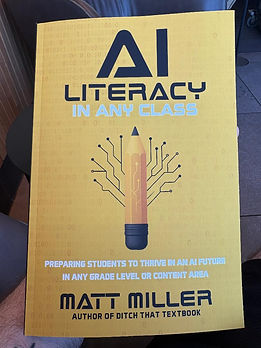
I read a couple EDU books over Spring Break, but I waited to post about this one until I had a chance to try out at least one thing I learned from it - which I finally got to do yesterday! Book #2 found me diving into the topic of AI: Matt Miller’s AI Literacy in Any Class. And honestly, I finished this book in one sitting. I bought it on a whim - I don’t even remember how I found out about it, but I decided it might be useful with all of the research my students do. Unlike my other Spring Break EDU read (Be REAL), I did NOT agree with everything in this book…at first.
This is a big old controversial topic, and going into this book I wasn’t sure how I felt about it at all - much less in the context of classroom usage. I probably would have finished the book an hour faster except that I stopped a few times to do some research on AI as I read. (Before that research, I was pretty firmly against using AI in general. Now I’m not so sure things are as dire as I once believed. Is it still an issue for academic purposes? Yes…but more to come on that below.) As much as I love the activities provided in the book (and have now implemented some of them), I think my favorite part was all of the groundwork laid out in the first three chapters.
One of the highlights of that section for me is that Matt does a great job of breaking down definitions. For example (and this is the first example that really got me rethinking my stance), he talks about how “AI is changing what it means to do, what it means to think, and what it means to know.” He goes on to explain each of those pieces, and it really resonated with me due to the nature of my class. AI is changing the way we “do” when it’s used to help us brainstorm and find inspiration; it doesn’t have to be some scary technology that does everything for us. It can also change the way we think by providing new perspectives as a collaborator in our work.
The challenge here is that we need to train students to use AI that way. And ourselves, really. This is the part of using AI in class that scared me the most. It’s why my immediate reaction to students using AI has been to just tell them they can’t. The main purpose of my class is to get students to think critically, reason logically, and solve problems. My fear has been that students will use AI to shortcut the learning process. Which…fair. They probably will. And do. But that’s a conversation that needs to be had, not just a rule that needs to be implemented (in my opinion). In addition to many ideas presented below, AI could be used to personalize learning. Not sure how this math/science/whatever concept actually works? You can have AI explain it using a football metaphor. Or music. Or Star Wars. We just need to help students use AI ethically and to analyze when it is or isn’t appropriate to use AI. (Did I really type “just” as if that isn’t the entire crux of the matter? Kind of. It’s a big deal, but it honestly comes with the territory when you teach middle schoolers…)
For example, Matt discusses using AI to help with writing - something I harp on my students for doing at least once a week. But instead of “banning” AI (yeah, right) and having students hide it every time I walk by, what if instead we have a deal in place where students need to write a draft of their work first - shared with me in case I want to check that they actually did the writing themselves (thanks, Google Docs!) - and then use AI to clean it up, fill in gaps, or find areas that are unclear. (Matt has a 5-page appendix at the back explaining how he did just that with this book! Spoiler alert - it’s also what we do as we’re writing curriculum. We get our rough draft of things in place, then throw it into Gemini to see if we like that verbiage better than what we started with.)
This actually gets to the real problem I saw (notice the past tense?) with using AI in classrooms. Using AI to do the work takes away a big chunk of the learning process, the productive struggle. But, in all his wisdom, Matt saw that coming. He mentions that we’ve encountered students looking for shortcuts for decades…it’s not just an AI thing. Part of our job with AI literacy is - as it always has been - helping students see that this productive cognitive struggle is what leads to real learning. Even when it’s not fun. Even when there’s an easier way.
But the bigger issue behind looking for shortcuts doesn’t really have anything to do with AI. Or even students, really. It’s a conversation that I remember from my undergrad days: relevance. As Matt puts it:
“When AI cheapens the product, focus on the process.”
Perhaps the biggest issue is that students don’t see the relevance in assignments. And if what we really want is to teach them that productive struggle is how real learning takes place, perhaps the focus shouldn’t be on the end product. Perhaps our focus (AKA grade) should be on the work students do to get to that final essay/presentation/test rather than the product itself, which just encourages students to find the easiest way to make that product happen.
THAT got me thinking. If AI is a tool, if it’s something that students are going to use in the real world (and if our job is to prepare students for exactly that, as Matt says in the quote I started this post with), then how do we lean into its presence and make it work for everyone’s benefit?
Easy as ABC
Enter the ABCs. Well…not THOSE ABCs. I guess it’s really just one ABC. Matt uses this acronym to teach a crucial AI literacy (and, really, media literacy) practice: Always Be Critiquing. Part of this comes from learning a bit about AI - like the fact that it essentially guesses (it’s more involved than that, but…yeah…AI models use statistics and developer parameters to try to figure out what exactly you’re looking for). Or the fact that AI models are based on human data, and since humans are biased so too is AI.
With that in mind, there are some questions that could be used to guide student discussions around AI (or perhaps even a short research topic at the beginning of a course). For example: How does AI rank its results? Could you tell that the information is AI generated? (And if so, how?) Is there anything that’s out of place or just “not right”? And one of my favorites from design thinking - What do you see? What do you notice? What do you wonder?
“Always Be Critiquing” is a major underlying concept throughout this book, which makes it feel strange that I’m giving it such a small section of my post. But just like in the book itself, it’s embedded in the various lessons and activities that follow. So on to the practical applications!
“Be the Bot”
The activity I was most excited to implement is one Matt calls “Be the Bot.” You can find a general overview here. The part I like most about this activity is the analysis that follows the activity. Some things Matt suggests to look at are:
What was the format of the response? (Was it a list? If so, was it ranked? Did we put that in the prompt?)
Are the responses any good? (How do we know? How do we define “good” and “bad” in this context?)
Is there anything missing or inaccurate? (Are any perspectives missing? Was the AI assistant biased? How do we know?)
Did the AI assistant respond the way we predicted? (How did we know to predict that response? Was there anything unexpected?)
What information do we think it used to respond? (Is this different from how we would respond as humans?)
I decided to jump into my application from the book with this activity. As I read through the description, I simply couldn’t help thinking about an activity that I had planned within the next couple weeks. We’re now about halfway through our Decades unit; we’ve been studying the culture and historical events of each decade in the 1900s, and our latest activity was to look through “You know you're a child of the 70s/80s/90s if…” lists. You know the ones - the list of all the nostalgic trends that more often than not make you cringe! In the past, we’ve looked at a few examples and then I’ve asked students to create one for the 2010s. This time around, I changed it up in a couple ways. First, I updated the date to be “You know you're a child of the 2020s (so far) if…” simply because - as much as I hate to admit it - I’m not sure they’re old enough to really remember much from the 2010s. Yikes!!!
The second change I made was to give it a “Be the Bot” makeover. Rather than just coming up with their own lists, I asked them to brainstorm 10 things they think would be on the list. I then had them get with another student and compare lists, then merge them into a single list of 10 items. I put the prompt into Google Gemini and we watched the AI-generated list appear on the TV. How did it go? First of all…they were hooked! The responses to the items Gemini listed were intense each period! But beyond that, just as Matt predicted in his book, they all immediately critiqued Gemini’s list. (Actually…they immediately critiqued my choice to use Gemini, but it’s the one our district is okay with. They actually had many suggestions of other apps that would have given “better” results.) They naturally questioned how items they found important were overlooked and things they didn’t consider were listed instead - which led quite naturally into some of the analysis questions listed above. Will I do this again? Absolutely!
“By the Way” Lessons
I really liked the fact that he stumbled upon the idea for this book through his own classroom experiences. The conversations came naturally, and he shares AI-related information with his students and little bites he calls “By the Way” lessons. The framework is pretty simple - share a fact, offer a short detail or two that provides a little more info, and tie it into your curriculum. Four of my favorite “By the Way” prompts he shares are:
By the way, did you know that there are times when we should disclose whether we’ve used AI?
By the way, did you know that it’s still important for us to learn even though AI exists?
By the way, did you know that no matter your career path, AI will probably be a part of it?
By the way, did you know that AI makes its best guess at the right answer?
Updates to Existing Units & Projects
Debates: There are a few ideas I plan to incorporate in future units and independent projects, too. One idea I found intriguing was using AI as a debate partner, which will really reinforce the concept that we shouldn’t assume that the AI responses are correct and we should “always be critiquing” the “facts” that AI relies on. My presentation skills unit for 8th grade focuses on debate skills, so this seems like a great way to tie AI literacy into what we’re already doing!
Global Action: Another unit application I’d like to implement goes back to the “Be the Bot” activity. We’ll start next year with our Global Action unit (where students choose a problem to tackle and use design thinking to try to find a solution), and I’ve noticed that choosing a single problem to focus on can be a challenge. (Narrowing it down to an actionable step is a whole other level of challenge, too.) So…why not see what Gemini thinks? The prompt here would involve each student putting their list of "heartbreak" problems into Gemini and asking something along the lines of “Which of these problems is the most urgent to solve?” Or perhaps urgency isn’t the criteria they want to use to select an issue - it’s something we can workshop and individualize when we get there, but I’m excited to see what students can do with the addition of this tool!
Dinner Party: The third idea I had is for an update to one of my favorite independent projects. There are dozens of topics for students to choose, and one of them is called Dinner Party. For this particular project, students choose 5 famous guests (real, fictional, living, or dead) to invite to a dinner party. They plan out all of the details for the party - including a conversation between the guests on 3 topics of importance to the student. Part of this includes researching the topics and the guests to learn what their opinions might be - but it can become quite a challenge when you invite someone who died before a topic on your list even came to exist - for example, if you’re discussing the impact of AI on artists with Pablo Picasso. In the book, Matt discusses using AI to simulate conversations - which could be a great tool to start this portion of the project!
Now…perhaps you’re thinking to yourself, “Adam! Didn’t you say earlier that you want students to submit a draft of their writing before they run it through AI?” Yes. Yes I did. But my thought process here is to take that and flip it on its head. Rather than starting with their own draft of the conversation, why not have them fact check what AI comes up with? They still have to do the research - and I’ll require them to provide sources to back up their decisions. It could also teach a super valuable AI life lesson as it tends to not do so well with requests involving creativity. In addition to providing (annotated) sources to support their decisions, students would need to reflect on the results using some questions Matt provides:
Were the facts the AI provided accurate?
Did the guest say anything they wouldn’t have known - like modern language/slang, new inventions, or recent events?
Is there anything the guest has actually written or said in real life that tells us how they might really respond to that topic, and does it line up with what AI generated?
Is the AI model perpetuating stereotypes that are debunked, unfair, or simply inaccurate?
My AI 180
I’m going to go ahead and say that before reading this book, I was essentially AI-illiterate. I didn’t really know much about it, and I certainly hadn’t considered its use in the classroom. I thought of it as a lazy shortcut that was essentially an ever-present nuisance for teachers. I don’t want you to think that I’m claiming to be an AI master now - certainly not! But I would say that the overview and “8 Essentials” Matt provides in this book, as well as my brief (well, hour-long) dive into a few rabbit holes along the way, have me feeling at least somewhat AI-literate now. Best of all, I’m not afraid of it taking over the classroom anymore! I think I may even be ready to embrace Matt’s explanation of AI literacy:
“AI literacy is about understanding AI. Seeing where it is. Knowing when it’s influencing us. Then taking control of the influence and control we let it have in our lives. When we do that, we maximize our humanity. We live life.”


Comments